Scanner Radio Pro - Fire and Police Scanner6.15.3
Publisher Description
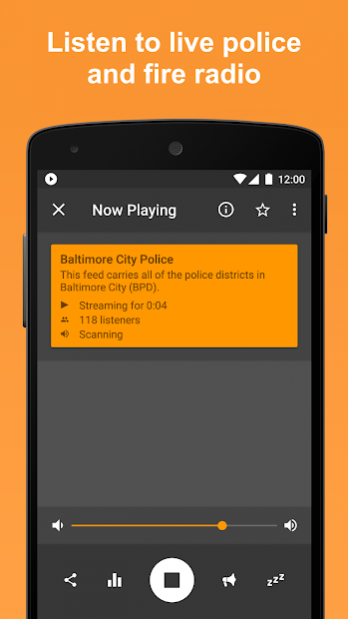
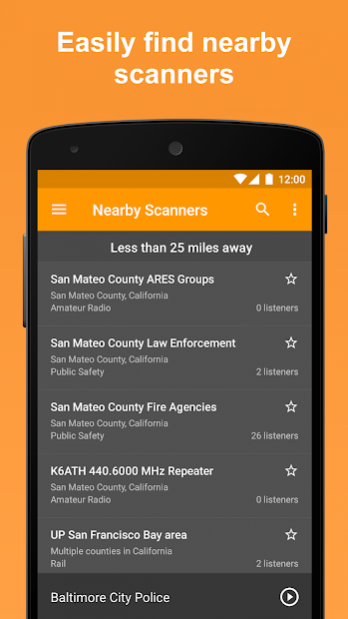
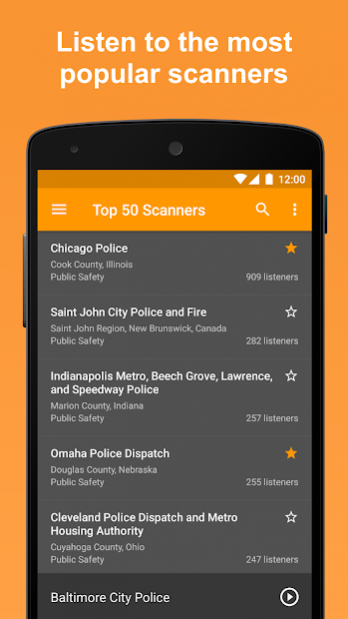
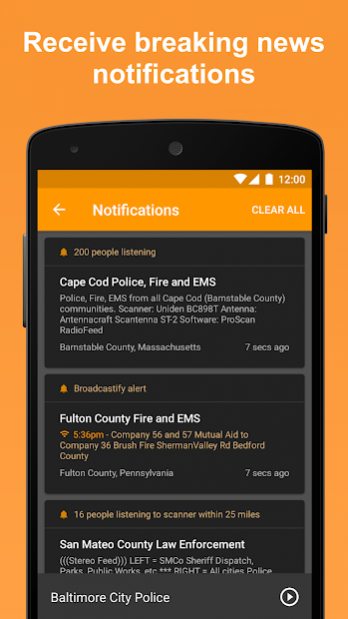
Listen to live audio from over 7,000 fire and police scanners, weather radios, amateur radio repeaters, air traffic and marine radios from around the world. Turn on notifications to receive alerts anytime a scanner has more than 2000 listeners (find out about major events as they're breaking).
FEATURES
• View scanners located nearest you.
• View the top 50 scanners that have the most listeners.
• View list of scanners added most recently (new scanners are being added all the time).
• Add scanners you listen to the most to your Favorites for quick access.
• Browse the directory by location or genre (public safety, air traffic, railroad, marine, etc).
• Turn on notifications to be notified when major events are happening (details below).
• Add Scanner Radio Pro widgets and shortcuts to your home screen for quick access.
• Supports Android Auto.
NOTIFICATION FEATURES
Receive a notification anytime:
• ...any scanner in the directory has more than 2000 listeners (configurable).
• ...a scanner within a certain distance of your location has more than a certain number of listeners.
• ...a specific scanner has more than a certain number of listeners.
• ...a Broadcastify alert is posted for one of your favorites.
• ...a scanner within a certain distance from you is added to the directory.
In addition to the above features, you also get the following features with this version of the app:
• No ads.
• Access to all 6 theme colors.
• Push notifications sent within 5 minutes (vs within 15 minutes in the free version).
• The ability to record the audio.
• The play button at the bottom of the directory screens and on the widgets can be used to start listening without having to go to the player screen.
The audio you're able to hear is provided by volunteers (and, in many cases, police and fire departments themselves) for Broadcastify and a few other sites using real police scanners and is the same audio you would hear using your own police scanner.
If you need assistance, please go to http://support.gordonedwards.net/
Explanation of why a couple of permissions are needed:
• The "Location" permission is required so that the app can determine what scanners are located in your area when you select "Nearby Scanners". When you select "Nearby Scanners" the app first attempts to determine your location via the network, if that fails the app then tries to determine your location via GPS.
• The "Photos/Media/Files" / "modify or delete the contents of your USB storage" permission is required in order to allow you to record the audio you're hearing and be able to save it to a location that you can access from your computer.
About Scanner Radio Pro - Fire and Police Scanner
The company that develops Scanner Radio Pro - Fire and Police Scanner is GordonEdwards.net LLC. The latest version released by its developer is 6.15.3. This app was rated by 1 users of our site and has an average rating of 4.0.
To install Scanner Radio Pro - Fire and Police Scanner on your Android device, just click the green Continue To App button above to start the installation process. The app is listed on our website since 2022-05-02 and was downloaded 59 times. We have already checked if the download link is safe, however for your own protection we recommend that you scan the downloaded app with your antivirus. Your antivirus may detect the Scanner Radio Pro - Fire and Police Scanner as malware as malware if the download link to com.scannerradio_pro is broken.
How to install Scanner Radio Pro - Fire and Police Scanner on your Android device:
- Click on the Continue To App button on our website. This will redirect you to Google Play.
- Once the Scanner Radio Pro - Fire and Police Scanner is shown in the Google Play listing of your Android device, you can start its download and installation. Tap on the Install button located below the search bar and to the right of the app icon.
- A pop-up window with the permissions required by Scanner Radio Pro - Fire and Police Scanner will be shown. Click on Accept to continue the process.
- Scanner Radio Pro - Fire and Police Scanner will be downloaded onto your device, displaying a progress. Once the download completes, the installation will start and you'll get a notification after the installation is finished.
Program Details
System requirements
Download information
Pricing
Version History
version 6.15.3
posted on 2022-05-02
. Much improved push notification delivery.
. A few bug fixes.
version 6.15.2
posted on 2022-04-09
. Improvements to integration with Android's auto-backup feature (to ensure settings are backed up).
. Several bug fixes.
version 6.15.1
posted on 2022-03-29
. "Browse" directory listing no longer displayed when returning from player screen after tapping on a notification (and in other scenarios as well).
. Widgets: Tapping on the "Top" widget will now start that scanner playing, instead of the "Popular" listing being displayed.
. Widgets: Fixed a bug that caused that app to state no scanners in favorites when configuring one of the Favorites widgets.
. Android 9: Fixed a problem that prevented the recording feature from working.
version 6.15.0.1
posted on 2022-03-14
. Fixed a problem preventing recording from working on Android 9 and earlier.
version 6.14.12
posted on 2022-02-03
. The "Are you an audio provider?" setting is no longer disabled if a provider doesn't have any feeds online when the app is launched.
. Fixed a problem which could prevent notifications from being displayed on devices running Android 12 when at least one "Favorite" widget exists.
version 6.14.11
posted on 2022-01-06
. Fixed a bug which caused the app to not use the device's "last known location" information in certain scenarios (when "Nearby" selected from the menu).
. Android 12: Added auto-verification of links Scanner Radio Pro can handle.
version 6.14.10
posted on 2021-11-20
Fixed a bug which caused the app to request location permission if it didn't have both fine and coarse location permissions, changed to only request location permissions if it has neither (when needed).
version 6.14.9
posted on 2021-10-31
Changed default streaming method back to "Progressive Download" due to many devices still not being compatible with the "Direct Streaming" setting.
version 6.14.7
posted on 2021-10-10
Streaming method will revert to "Progressive Download" if the "Direct Streaming" method doesn't appear to be compatible with the device.
version 6.14.6
posted on 2021-09-28
Changed default streaming method from "Progressive Download" to "Direct Streaming" for improved quality.
